
Category: advanced
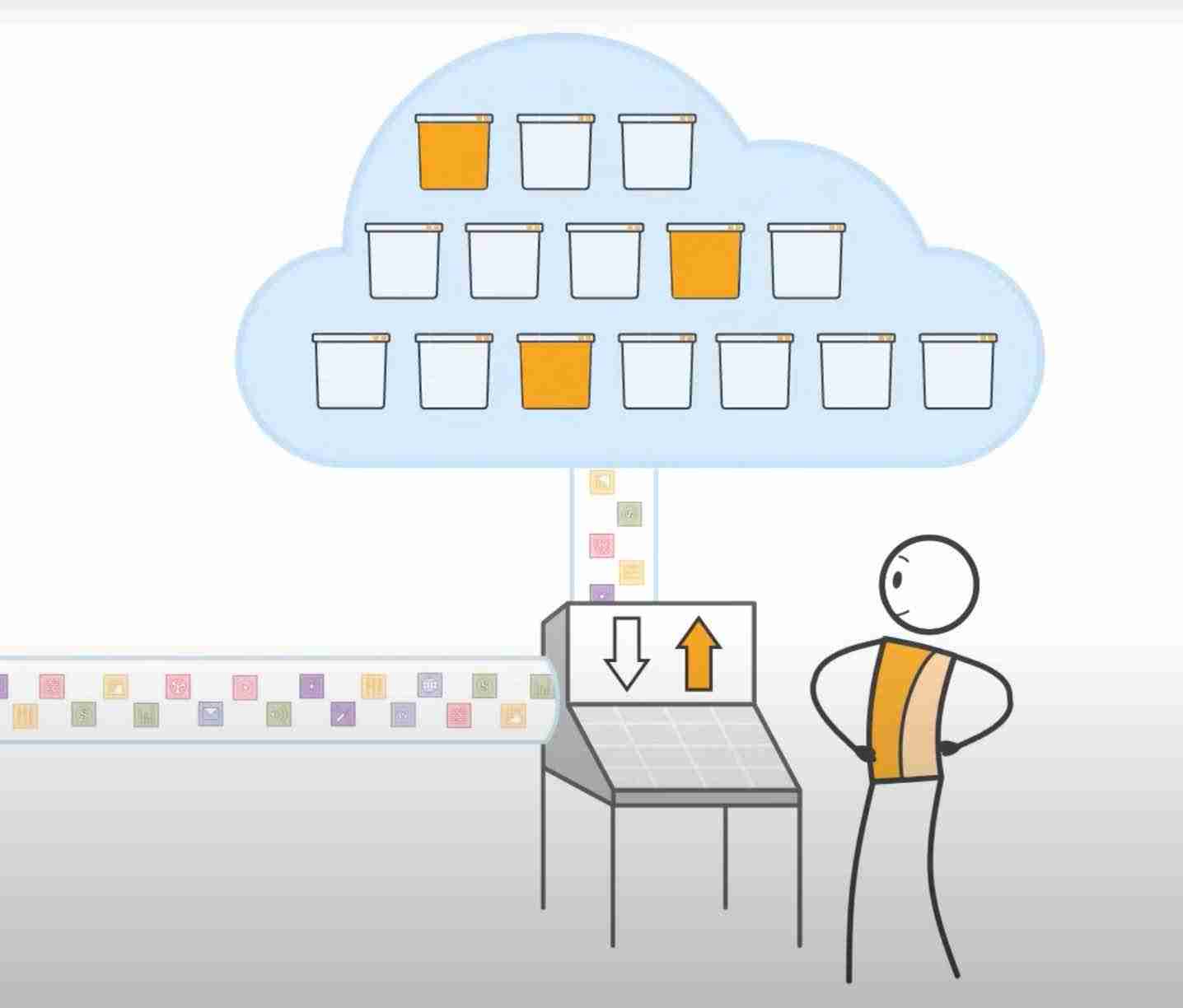
Running a static website from Amazon S3 (or not)!
How to serve a static website using an Amazon S3 bucket, and upload to it using the Amazon Transfer Family, via Transmit software on a Mac.

Adding a device to Home Assistant
I am running home automation using Home Assistant. It’s a very good option of you want to tinker with things like turning appliances on and off, monitoring solar generation, turning pumps on and off, etc.Here is a series of videos showing how to connect a LoraWAN end device into Home Assistant.

How to add a new file to a folder in OSX with a right click.
If you right click (option click) in the finder there’s a contextual menu that gives you some options. Here’s how to add an option under ‘Quick Actions’ to make a new text file.

How to get a DUNS number in Australia
Our Church is developing a phone app and as part of the process we needed to get a DUNS number. If you are developing an Apple App Store App you need a DUNS number. We were taken to a site called “dun&bradstreet” but there was no place to get a DUNS number unless you were…
Showing a preview of your image on the desktop file icon – broken
You can get previews of your images on the OSX desktop like this: Mine were broken and just displaying the generic preview icon. Here’s how I fixed it.
How to use the free version of wptouch on WordPress
This is very technical! This website macintoshhowto.com uses a wordpress plugin called wp-touch. It has a bug in it. I needed to fix it to get the site working. Here’s how to fix it.

How to rsync from Siteground to backup your website using OSX.
This is quite technical, but I’m putting it here so I don’t forget, and for anyone else who may be helped! Rsync is a file copying protocol that allows you to copy an entire directory. It’s like an automated version of ftp, but it uses the SSH protocol not ftp. Here’s how to make a…

How to make use of the extra function keys on an Apple extended keyboard
If you own a new Apple magic keyboard or extended keyboard you may not realise how to use those extra function keys on the top right of the keyboard. You can set them up to launch and control applications. For example I have my f-19 key set up to toggle my Dragon Dictate microphone and…
How to speed up network drives on OS X Mojave
Advanced! Apparently there are a a few bugs in OSX when it comes to accessing a network drive. This was really slowing down my Synology NAS which I use to host my video and audio files. To fix it, create the following file in /etc/nsmb.conf

Setting up WPRIG on a Macintosh Computer – some comments.
Today I had a go at setting up wprig. It is a development environment for making WordPress themes. I’m using it to try and update our church website. Here are some tips on how to set it up. This is very advanced – for WordPress Theme Coders.
Fusion drive on OSX with two SSD drives
The new Mac Minis have super fast SSD Drives. I measured read times of 2500MB/s which is 5 times faster than the SSD drive in my old mac mini. But these drives are super super expensive. (An extra US$1400 for a 2TB drive). So I thought it might be an option to buy a Mac…
Make your Mac bootup screen more interesting
If you get a bit bored booting up your Mac and waiting for the Apple logo, here’s a trick that will let you see what’s going on behind the scenes. It’s called verbose mode and it simply echoes to your screen everything that the computer is doing while it boots up. It doesn’t change anything about…

How to extract data from an XML file using Google sheets
XML is a format that some applications use to share data. For example I use a metronome called ‘Tempo’ on my iPhone. It allows me to share the tempos of all my songs by exporting an ‘XML’ file to an email. This document can be read by the tempo app and it contains all the…

Warning: email scam aimed at website owners.
Confession time. I just got scammed. Yep. I know the dangers, I’ve spotted scams before, but this time I fell for it and for 5 minutes or so my account was vulnerable to attack. Thankfully I realised what was happening fast and was able to fix things quickly, but this scare has made me all…
How to downgrade iTunes 12.7 to 12.6 on High Sierra.
With iTunes 12.7 you can’t download apps for older iPhones. If you have an older iPhone and you want to download older apps for you need iTunes 12.6. But Apple have introduced a security feature called ‘System Integrity Protection’ that stops you from deleting iTunes 12.7. To delete iTuens 12.7 (and go back to iTunes 12.6)…
Reinstall OS X with a fresh install
Apple releases a major update of OS X every year or so and for the past 10 years I have just done an automatic update, installing the new OS X on top of the old version and keeping all the existing applications and settings. When I upgraded to El Capitan I decided to do a completely fresh installation.…

How to view the html page source of a website in Safari
This is a bit of an advanced tip for web developers. Safari used to have a menu item called ‘View Page Source’. If you selected this you could see the HTML code of the website you were viewing. This option has been removed from recent versions of Safari but you can re-enable it by turning…

How to test your website for different browsers
There are web applications that will allow you to preview what your website will look like on different browsers. You type in your website (e.g. macintoshhowto.com) and the site shows you what your website will look like in almost any browser you can think of. One such website is http://browsershots.org It’s free to use, but there is…
How to move all your gmail messages from one account to another
This article is a bit too technical for macintoshhowto.com so I’ve posted it over on my other blog here. I you are wondering how to move all your messages from one gmail account to a different gmail account, via your mac, you may want to check it out.
How to install a WordPress development version locally on OSX Catalina
This is an advanced topic for people wanting to host a wordpress site locally on their own Mac.